
Systems Thinking

Practical insights on solutions architecture, technology strategy, and business growth.

Month: September 2026

  • A Solutions Architecture Approach to Getting Them Under Control

    If you’ve started using AI tools in your business — anything from an LLM API embedded in your product to a handful of AI assistants across your team — there’s a good chance the bill has started climbing faster than anyone expected. It’s becoming one of the most common conversations we’re having with tech-focused SMBs right now: AI spend crept up gradually, nobody quite knows why, and the instinct is to assume you just need to “use it less” — which, much like cloud spend a few years ago, usually isn’t the real answer.

    AI cost problems are rarely about usage being inherently too high. They’re almost always about adoption that happened faster than the architecture around it — because early on, when it was one team experimenting with one tool, it didn’t need a plan. The good news is that this is a genuinely fixable problem, provided you’re solving the right one.

    AI spend has a few characteristics that make it spiral even quicker than the cloud cost creep many businesses have already been through:

    • Per-call pricing with no natural ceiling. 
      • Unlike a fixed server bill, AI API costs scale directly with usage — every request, every token, every generation adds up in real time, often with nobody watching the meter.
    • Model choice matters enormously, and defaults are usually the most expensive option. 
      • It’s common to see a task running on a large, expensive model when a smaller, cheaper one would do the job just as well — because nobody revisited the choice once it was working.
    • Sprawl across tools and teams. 
      • AI capability shows up in a chatbot subscription, an embedded feature in your CRM, a coding assistant, an API integration — each billed separately, each decided on its own, with no one holding the full picture.
    • Experimentation that never gets reviewed. 
      • A proof of concept that worked gets left running in production. Nobody circles back to check whether it’s still needed, or whether it was ever optimised for cost.
    • Redundant calls and poor caching. 
      • The same prompt, or something close to it, gets sent to the model repeatedly because there’s no caching or deduplication layer — paying full price for an answer you already had.

    None of this is exotic, and none of it is a sign of anyone doing something wrong. It’s the predictable result of a genuinely useful technology being adopted quickly, by teams focused — rightly — on what it can do, not yet on what it costs to run at scale.

    The instinctive response to a high AI bill is to restrict usage — cut licences, limit API calls, tell the team to be more careful. That can help at the margins, but it treats the symptom, not the cause, and it risks throttling the exact capability that made the tool worth adopting in the first place.

    A Solutions Architecture approach starts from a different question: not “how do we use this less?” but “does how we’re using this actually match the value it’s creating?” That reframing tends to surface bigger, more durable savings than simply asking people to be more frugal.

    In our experience, the biggest and most durable wins tend to fall into a small number of categories:

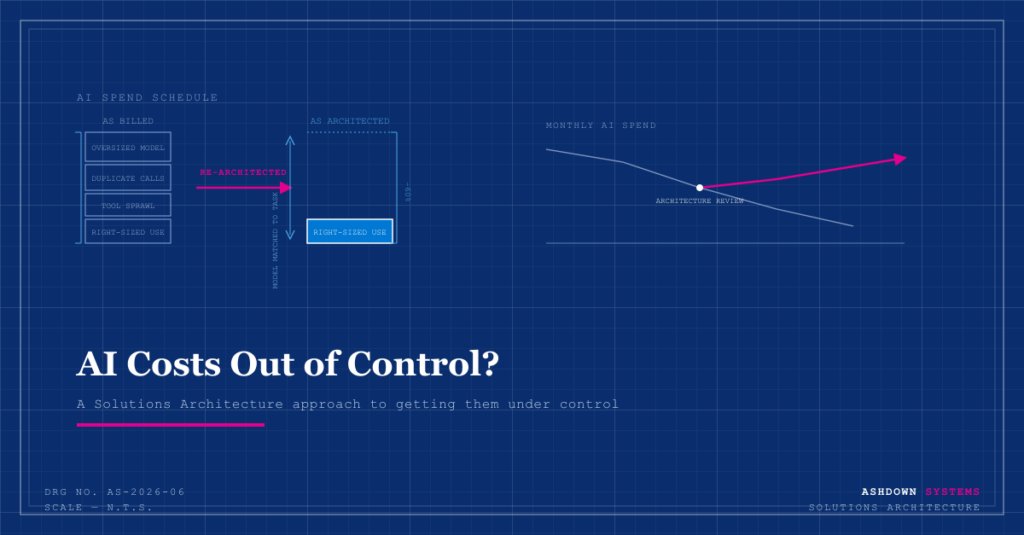
    • Right-sizing the model to the task. 
      • Not every task needs the largest, most capable model available. Matching model choice to actual task complexity — using a smaller, cheaper model where it performs just as well — is often the single biggest lever available, and one of the easiest to overlook.
    • Caching and deduplication. 
      • Where the same or similar requests are being made repeatedly, caching results rather than regenerating them can cut costs substantially, particularly for high-volume, low-variability use cases.
    • Prompt and workflow efficiency. 
      • Poorly structured prompts, unnecessary context, or overly chatty multi-step workflows all add cost without adding value. Tightening these up is usually low-risk and high-impact.
    • Consolidating tools and licences. 
      • AI capability adopted piecemeal across different teams often duplicates itself — several tools solving overlapping problems, billed separately. Consolidating onto fewer, well-chosen tools reduces both cost and the operational overhead of managing them.
    • Visibility and ownership. 
      • Just as with cloud spend, you can’t optimise what you can’t see. Attributing AI spend to the team, product, or feature responsible — rather than watching one combined bill arrive each month — makes it possible to prioritise fixes and hold usage accountable.

    The other trap is treating AI cost control as a one-off clean-up: review the spend, fix what’s obviously wasteful, move on. That helps once. Then the same sprawl starts again, because the underlying pattern — fast, ungoverned adoption — is usually still there, and new AI tools keep arriving.

    The more durable fix is building cost and architecture thinking into how AI gets adopted going forward, so “what will this cost at scale, and does it need to run on the most expensive model available?” is part of the decision from the start, not a question asked eight months later when the invoice has become impossible to ignore.

    For a tech-focused SMB, AI spend isn’t a novelty line item anymore — it’s rapidly becoming a real input into margins, alongside infrastructure and headcount. Getting the architecture right doesn’t just reduce cost; it usually improves reliability and performance too, because the same discipline that controls spend — matching the right tool to the right task, avoiding redundant work — tends to produce a better-built system regardless.

    Getting a proper architectural view of your AI usage, before deciding what to cut or restrict, tends to save more money, preserve more of the value the tools were adopted for, and cause far less disruption than reaching for the off switch.


    Ashdown Systems helps UK tech-focused startups and SMBs get their AI adoption — and their AI bills — under control. If any of this sounds familiar, get in touch.
  • A Solutions Architecture Approach to Cost Optimisation

    If your AWS or Azure bill has started arriving with a slight sense of dread, you’re not alone. It’s one of the most common conversations we have with growing tech-focused businesses: the cloud spend crept up gradually, nobody quite knows why, and the instinct is to assume you just need to “use less cloud” — which usually isn’t the actual answer.

    Cloud cost problems are rarely about usage being too high. They’re almost always about architecture that was never designed with cost in mind — because early on, it didn’t need to be. The good news is that this is one of the more fixable problems a scaling business will face, provided you’re solving the right problem.

    Cloud pricing is built to reward planning and punish improvisation. That’s not a criticism of AWS, Azure, or GCP — it’s just the nature of pay-as-you-go infrastructure. A few patterns show up again and again in growing businesses:

    • Over-provisioning “just in case.” 
      • Resources sized for a traffic spike that happens twice a year, running at that size the other 363 days.
    • Orphaned resources. 
      • Test environments, old databases, and unused storage volumes that were spun up for a project that finished months ago and never got switched off.
    • No visibility into what’s actually driving spend. 
      • Without proper tagging and cost allocation, nobody can say which feature, team, or customer is responsible for which part of the bill — so nobody can prioritise fixing it.
    • Architecture that made sense at a smaller scale. 
      • A design decision that was cheap and simple at low volume can become the single biggest line item on the bill once usage grows 10x, without anyone noticing the shift happened.
    • Default settings left untouched. 
      • Many services default to convenient, not cost-efficient. Nobody revisits those defaults once the system is live and working.

    None of these are exotic problems. They’re the predictable result of infrastructure decisions made under time pressure, by a team focused — rightly, at the time — on shipping rather than on the invoice.

    The instinctive response to a high cloud bill is to go looking for things to switch off. That can help at the margins, but it treats the symptom, not the cause — and it risks cutting something that turns out to matter, or missing the structural issue that will just regenerate the same costs in six months.

    A Solutions Architecture approach starts from a different question:

    Not “what can we cut?” but “does the architecture match how the system is actually being used?”

    That reframing usually surfaces bigger, more durable savings than a line-by-line audit of what to switch off.

    In our experience, the biggest wins tend to fall into a small number of categories:

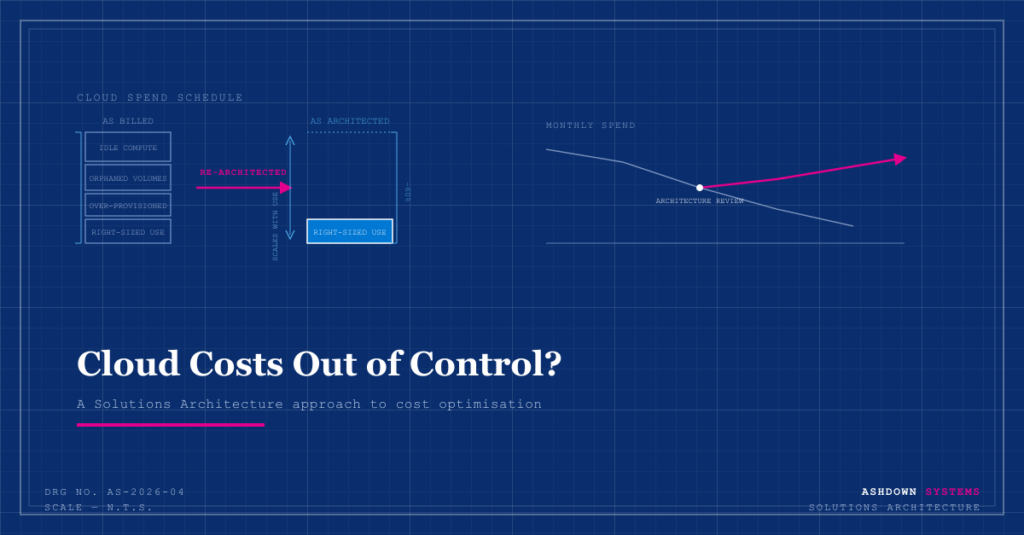
    • Right-sizing, properly done. 
      • Not just picking a smaller instance, but matching compute and storage tiers to real, observed usage patterns rather than the original guess made at launch.
    • Committing to savings plans or reserved capacity — but only once usage is stable. 
      • These can offer meaningful discounts, but committing too early, before your architecture has settled, can lock in inefficiency rather than remove it.
    • Re-architecting for elasticity. 
      • Systems that scale down as well as up — rather than running at peak capacity permanently — can be one of the largest single savings available, particularly for workloads with predictable quiet periods.
    • Storage lifecycle management. 
      • Data that’s accessed constantly and data that’s accessed once a year shouldn’t be sitting in the same (expensive) storage tier. This is often one of the simplest fixes with an outsized impact.
    • Visibility and ownership. 
      • Proper tagging and cost allocation so that spend is attributed to the team, product, or feature responsible. You can’t optimise what you can’t see, and you can’t hold anyone accountable for a bill nobody can attribute.

    The other trap is treating cost optimisation as a single project: do a big review, fix what’s obviously wasteful, move on. That works once. Then the same drift starts again, because the underlying architecture and habits that created the problem the first time are usually still there.

    The more durable fix is building cost awareness into how architecture decisions get made going forward — so that “what will this cost at scale?” is part of the design conversation from the start, not a question asked eighteen months later when the bill has become impossible to ignore.

    For a tech-focused SMB, infrastructure cost isn’t a back-office line item — it’s a direct input into your margins, your runway, and how much room you have to reinvest in the product. A well-architected system doesn’t just perform better; it’s usually the cheaper one too, because most cost inefficiency and most technical fragility come from the same root cause: architecture that wasn’t given the chance to be deliberate.

    Getting a proper architectural view of your cloud spend, before deciding what to cut, tends to save more money and cause far less disruption than starting with the axe.


    Ashdown Systems helps UK tech-focused startups and SMBs get their cloud architecture — and their cloud bills — under control. If any of this sounds familiar, get in touch.
  • How to Spot Them

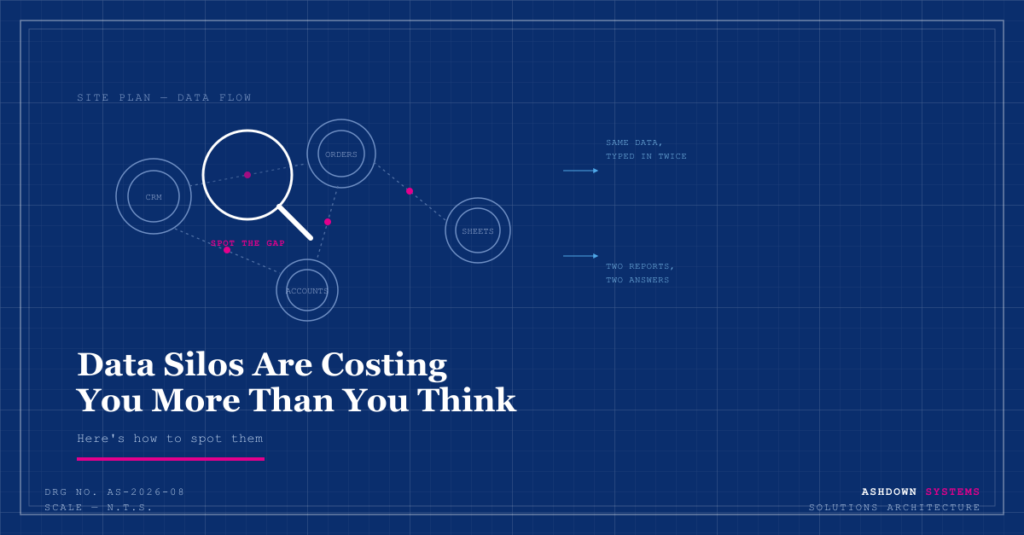
    Ask most business owners if they have a “data silo problem” and they’ll say no. Ask them if two different systems ever disagree about a customer’s order history, or if someone spends part of their week copying numbers from one place to another, and the answer is usually yes. That gap — between not recognising the term and living with the symptom every week — is exactly why data silos are one of the most under-diagnosed costs in a growing SMB.

    A data silo isn’t a technical failure. It’s just information that’s trapped in one system, unable to flow to the other systems that need it, without someone manually moving it there. Every business ends up with a few. The question is whether you know where yours are, and what they’re actually costing you.

    Data silos aren’t usually the result of poor planning. They’re the natural outcome of a business growing normally:

    • Each department picks the tool that solves its problem, with no requirement to consider how it connects to anything else.
    • Tools get adopted at different times, by different people, for different reasons — nobody’s coordinating the full picture.
    • What starts as “we’ll just export this to a spreadsheet for now” becomes a permanent, invisible process.
    • Systems that could integrate never do, because nobody had the time, or the budget, to set it up properly at the time.

    Every one of those decisions made sense on its own. The silo is what happens when you add them all together and nobody goes back to look at the sum.

    Data silos rarely announce themselves. They show up as small, recurring frustrations that get accepted as “just how things are.” Some of the clearest signs:

    • The same information gets typed in more than once. 
      • A customer’s details entered into the CRM, then re-entered into the invoicing system, then again into a delivery or fulfilment tool. Each entry is a chance for a typo, and a chunk of someone’s time that shouldn’t be necessary.
    • Two reports never quite agree. 
      • Finance has one number for monthly revenue, sales has a slightly different one, and nobody can say with confidence which is right — because they’re pulling from different, disconnected sources of truth
    • There’s a “master spreadsheet” holding the business together. 
      • Somewhere, there’s a spreadsheet someone maintains by hand, stitching together data that should be flowing automatically between systems. It works, but everyone quietly knows it’s fragile.
    • Answering a simple question takes several people and several systems. 
      • “How many active customers do we have?” should be a five-second lookup. If it actually requires pinging three people and cross-referencing two tools, that’s a silo, not a minor inconvenience.
    • New starters take weeks to understand “how things really work.” 
      • If onboarding involves a lot of “oh, and you also have to check this other system for that,” the knowledge of how data actually connects is living in people’s heads, not in the systems themselves.
    • Decisions get delayed because nobody trusts the numbers. 
      • This is the most expensive sign. When leadership hesitates on a call because the data feels unreliable, that’s not caution — that’s the silo problem actively slowing the business down.

    If two or three of these sound familiar, you almost certainly have silos costing you more than you’d guess.

    The individual symptoms look small — a few minutes here, a slightly awkward report there. Added up across a team, over a year, the costs are rarely small:

    • Time.
      •  Manual re-entry and reconciliation is a real, recurring cost, even though it never shows up as a distinct line item anywhere.
    • Accuracy. 
      • Every manual handoff between systems is a chance for data to drift or drop out entirely, and those errors tend to surface at the worst moments — a customer complaint, a failed audit, a board question nobody can answer cleanly.
    • Speed of decision-making. 
      • Businesses with connected data can answer questions in minutes. Businesses with siloed data spend that time reconciling first, and often decide with worse information anyway.
    • Growth capacity. 
      • Manual processes that just about work with a small team become genuinely unworkable as volume grows — right when you can least afford the disruption of fixing them.

    The signs above are usually visible to anyone paying attention — the harder part is knowing what to actually do once you’ve spotted them. Not every silo needs the same fix; some just need a better integration between two existing tools, others point to a genuine gap in how the business’s data is structured, and a few aren’t worth fixing at all relative to their actual cost.

    That prioritisation — which silos are quietly expensive and which are minor — is where an outside architectural view helps most. It turns a list of everyday frustrations into a clear, ranked plan: what to connect first, what to leave alone, and what a properly designed flow of data should actually look like for a business your size.


    Ashdown Systems helps UK startups and SMBs find and fix the data silos that are quietly costing them time, accuracy, and growth. If any of this sounds familiar, get in touch.